Understanding Tech
VPN Parents Guide – What Every Parent Should Know About VPNs and Privacy Tools
Complete, evidence-based guidance for UK families about VPNs, how children use them, why they’re risky when hidden, and how to have calm conversations about privacy, trust, and boundaries.
Written by a family tech consultant. No jargon or panic — just practical steps.
VPNs have become mainstream. Your child might discover one through a YouTube influencer, a school friend, or a game forum.
For parents, VPNs can feel mysterious or threatening — something kids are using to hide — but the reality is more nuanced.
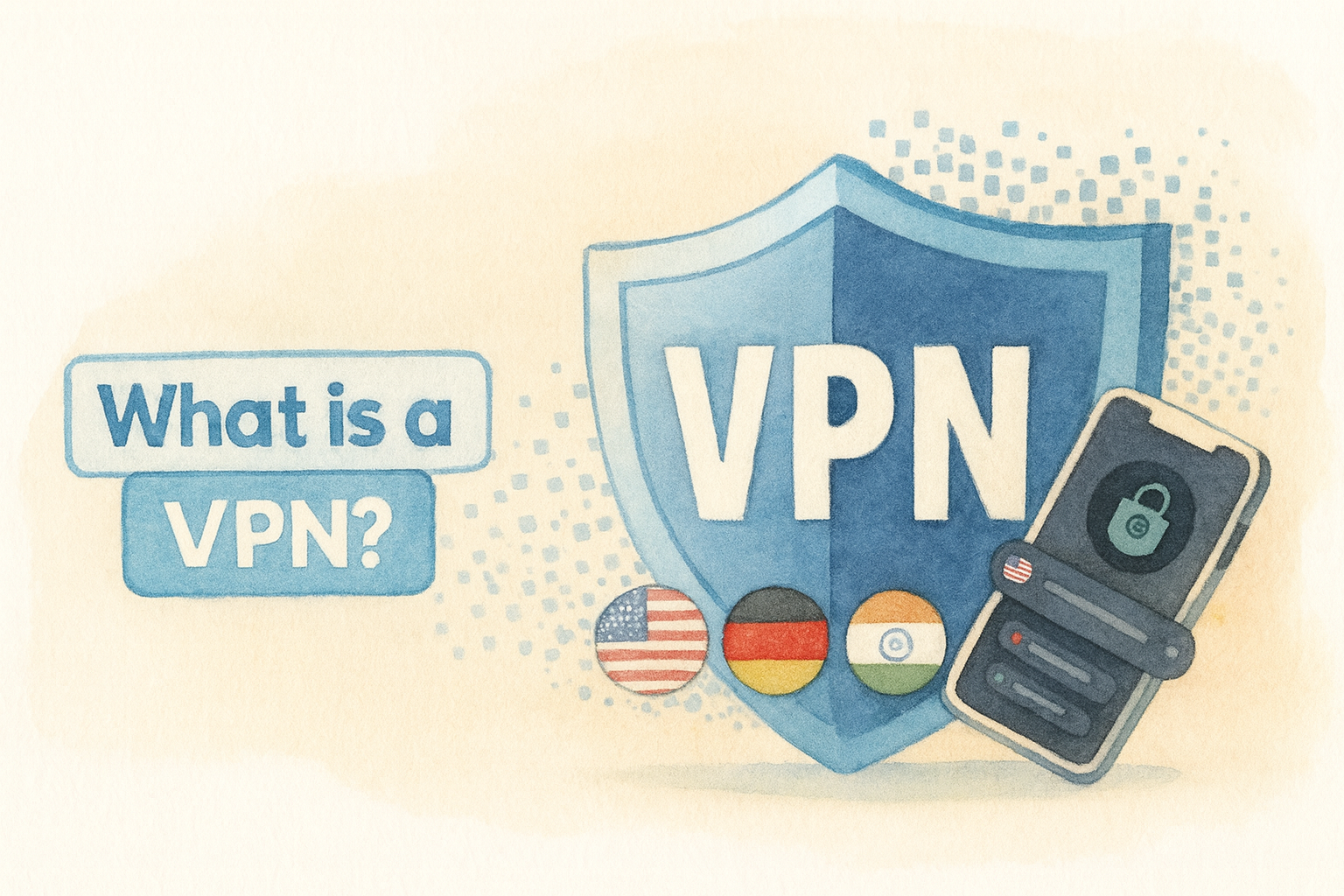
A VPN (Virtual Private Network) is privacy technology that has legitimate uses: protecting data on public Wi-Fi, bypassing censorship in repressive countries, keeping browsing private from your Internet Service Provider.
Yet for children, VPNs also represent something else: a way to bypass school filters, access region-locked content, or hide activity from parents.
This guide explains how VPNs work in plain language, why teens are drawn to them, how to recognize if one is installed, and most importantly — how to have a conversation with your child about it that builds trust instead of conflict.
Short answer:
A VPN encrypts traffic and can hide location.
Useful on public Wi-Fi; risky if used to bypass family or school boundaries.
The real issue isn’t the technology — it’s why your child feels they need secrecy.
Stay calm, be curious, and set clear expectations together.
What a VPN Actually Does: The Technical Explanation (In Plain Language)
Understanding how a VPN works helps you explain it to your child and makes you feel less lost when discussing it.
The Simple Version
Normally, when your child visits a website, their Internet Service Provider (ISP) and the website can see:
- Their real IP address (which reveals their approximate location)
- What websites they visit (browsing history)
- Which apps they use (if unencrypted)
A VPN creates an encrypted “tunnel” between their device and a VPN server somewhere else in the world.
To websites, it appears their device is in that other location.
To their ISP, it looks like they’re just connecting to the VPN server — not what they’re actually doing inside that tunnel.
Think of it like a locked box in the mail:
The postman (ISP) can see a package is being sent, but can’t see what’s inside.
To the recipient, the box appears to come from wherever the VPN server is, not from your child’s actual address.
What a VPN Does Protect
- Data on public Wi-Fi: Airport, café, hotel networks are notoriously insecure. Hackers can intercept logins and personal information. A VPN encrypts this.
- ISP surveillance: Your ISP can see you visit certain sites (but not the specific pages if the site uses HTTPS). A VPN hides that level of tracking.
- Location Websites can’t pinpoint exact location — they see the VPN server’s location instead.
What a VPN Does NOT Protect
- Illegal activity: A VPN doesn’t make illegal things legal. Law enforcement can and does prosecute crimes committed over VPNs with warrants.
- Device security: A VPN doesn’t protect against viruses, malware, or phishing attacks. Your child still needs antivirus and careful browsing.
- Passwords you type: If your child enters a password on a phishing site (fake login page), a VPN doesn’t help — they’ve given credentials away.
- Social engineering: A VPN can’t stop someone from tricking your child into sharing information.
Why Teens and Tweens Are Using VPNs: The Real Motivations
Understanding WHY your child wants a VPN helps you respond with empathy instead of panic.
There are legitimate reasons — and problematic ones.
Legitimate Reasons (Privacy and Learning)
- Privacy interest:
They’re curious about how privacy works online and want to understand technology better.
This is developmentally normal at ages 13+.
- Protecting from ISP tracking:
They understand that ISPs and websites track browsing and want privacy.
This shows good digital literacy, not necessarily bad intent.
- Accessing blocked educational content:
In rare cases, schools block educational resources inappropriately, and a VPN helps access learning materials.
- Accessing region-locked content:
A show on Netflix isn’t available in the UK, but is available in the US. A VPN can access it.
This is technically against Netflix’s terms of service but not inherently illegal.
Problematic Reasons (Bypass and Secrecy)
- Bypass school filters:
School blocks certain sites (social media, games) during school time, and your child wants to access them anyway.
This violates school policy and shows intentional boundary-breaking.
- Bypass home filters or parental controls:
You’ve set limits on when devices can be used or which apps are allowed, and they want to circumvent that.
This signals missing trust and a desire for secrecy.
- Hide activity from parents:
They’re visiting sites, apps, or communities they don’t want you to know about.
Could be harmless (looking at adult-rated content, visiting dating apps underage) or concerning (visiting harmful communities, engaging with predators).
- Following influencer trends:
YouTube creators or TikTok influencers promote VPNs as a way to be “invisible” or “free” online.
Marketing hype creates false expectations about what VPNs do.
- Peer pressure:
Friends have VPNs, and your child feels like they should too to fit in or seem tech-savvy.
The key distinction:
Curiosity about privacy technology is healthy. Secrecy and boundary-bypassing signal a trust issue that needs addressing.
When VPNs Are Actually Useful (and Safe to Encourage)
VPNs aren’t inherently bad. There are situations where you might actually encourage your child to use one — or use one yourself.
Legitimate VPN Use Cases
- Public Wi-Fi protection:
Your teen is at a café, airport, or hotel and connects to public Wi-Fi to do homework.
A VPN ensures their login credentials aren’t intercepted by hackers on the same network.
This is genuinely protective.
- School/work network access:
Many schools and workplaces require a VPN to securely access school files, email, or learning platforms from home.
This is standard practice and should be the VPN provided by the institution.
- Privacy from ISP tracking:
Your child understands that ISPs track and sell data about browsing habits.
A reputable VPN prevents that level of data collection.
This is legitimate privacy concern.
- Accessing content in countries with censorship:
If you’re travelling to or from a country with heavy internet censorship (China, Iran, Russia), a VPN helps access blocked resources.
This is a genuine freedom-of-information use case.
- Accessing legitimate services:**
Some streaming services or job boards are geographically restricted but legitimately available to your child.
A VPN can help access these without breaking terms of service.
The Conversation Starter
If your child shows interest in VPNs for these legitimate reasons, you might say:
“I appreciate that you’re thinking about privacy and how technology works — that’s smart.
VPNs have real uses, especially on public Wi-Fi.
Let’s talk about when they’re helpful and when they’re not.
If you’re interested in cybersecurity, there are great courses and books we could explore together.”
When VPNs Become a Red Flag: Recognizing Hidden Use
The concern isn’t usually the VPN itself — it’s the secrecy and intent behind it.
Here’s how to recognize if a VPN is being used to bypass boundaries.
Warning Signs Your Child Might Be Using a VPN Hidden From You
- Sudden inability to reach device:
School or home filters suddenly don’t seem to be working — sites that were blocked load normally.
This might indicate a VPN is bypassing filters.
- Strange new apps:
You notice new apps installed that you don’t recognize — names like “Proton”, “Nord”, “TurboVPN”, “Hotspot Shield”, or suspicious names like “Files” or “Settings” that are actually VPN apps.
- Defensive behavior around devices:
Your child closes apps or hides their screen when you walk by.
They’re suddenly unwilling to show you what they’re doing.
This signals secrecy, not just privacy preference.
- New online friends or communities:**
They’ve joined new Discord servers, subreddits, or forums that they’re secretive about.
A VPN might be helping them access restricted communities.
- Late-night device use:**
They’re up late on devices using a VPN to bypass time-based filters, engaging with communities you wouldn’t approve of.
- Mood or behavior changes:**
Increased anxiety, withdrawal from family, secretive behaviour, or mood changes that coincide with increased online activity.
Could indicate exposure to harmful content or exploitation.
Important:
Not every app that looks like a VPN is one.
Some legitimate apps (password managers, translation apps) use VPN-like technology.
Don’t assume — ask first.
How to Detect a VPN on Your Child’s Device: Step-by-Step Guide
If you suspect a VPN is installed, here’s how to check on different devices.
iPhone / iPad
- Open Settings
- Tap General
- Tap VPN & Device Management
- Look for any VPN entries listed. Common ones: ProtonVPN, NordVPN, Surfshark, TurboVPN, ExpressVPN
- Also check: Settings → General → Profiles & Device Management for VPN profiles installed separately
Android
- Open Settings
- Tap Network & Internet (or Connections, depending on Android version)
- Tap VPN
- Look for any active VPN connections
- Also check: Settings → Apps and look for VPN-named apps or suspicious apps using VPN-like names
Visual Indicators
- iPhone: A small key icon or “VPN” indicator in the top status bar when connected
- Android: A small shield or key icon in the notification bar when a VPN is active
Checking Installed Apps
- Look through the app list for recognizable VPN apps: Proton, Nord, Surfshark, ExpressVPN, TurboVPN, Windscribe, Hide My Ass (HMA)
- Look for suspicious apps with generic names (“Files”, “Settings”, “Utilities”) that might be disguised VPNs
- Check the app icon — VPN apps often use shield, lock, or globe icons
Router Level
- Check your router’s connected devices list — if a device shows unusual IP information or patterns, it might be using a VPN
- Some routers have logs of blocked connections — a VPN app attempting to connect would show there
- Advanced: Some routers can block VPN traffic entirely (though this is technically challenging for most home networks)
Pro tip:
Don’t search while your child is watching.
Do this when they’re asleep or at school, then plan your conversation strategy.
How to Talk About VPNs Without Creating Conflict: The Calm Conversation Framework
How you respond to discovering a VPN matters far more than the VPN itself.
Panic and punishment drive secrecy deeper. Curiosity opens dialogue.
Before You Talk: Get Curious, Not Angry
Take time to think about why they might want a VPN before you confront them.
Possible reasons:
- They feel over-monitored and want privacy (legitimate feeling, wrong method)
- Their friends have VPNs and they want to fit in (peer pressure)
- They’re curious about how technology works (healthy curiosity)
- They want to access content you’ve blocked (boundary-testing)
- They’re hiding something harmful (concerning, but still requires calm conversation)
Which reason you discover changes how you respond.
The Opening Conversation
Use this opening:
“I noticed you’ve installed a VPN. I’m not angry — I want to understand what you’re using it for.
Help me get it.”
Key elements of this approach:
- State the fact: You know about the VPN (don’t ask if they have one — you already know)
- Disarm anger: Explicitly say you’re not angry. Kids expect punishment; calm surprises them and opens dialogue
- Express genuine curiosity: “Help me understand” invites them to explain rather than defend
If They Get Defensive
Common reactions:
- “Everyone at school has a VPN”
→ Respond: “I believe you. And I want to know why you felt you needed one. What were you trying to do?”
- “It’s just for privacy, like you always talk about”
→ Respond: “That’s a fair point. Privacy matters. But secrecy about it bothers me. Let’s talk about the difference.”
- “It’s no big deal”
→ Respond: “It might not feel like a big deal to you, but installing things without telling me breaks trust. That’s what I want to fix.”
- “You’re being paranoid”
→ Respond calmly: “I’m not trying to spy on you. I’m trying to keep you safe. A VPN that hides activity from me makes that harder. Can we talk about what’s making you feel like you need to hide things?”
Active Listening — Let Them Explain
After you ask, listen without interrupting. Really listen.
Your child might say:
“I felt like you were always checking my phone, so I wanted some privacy.”
This is valuable information about how monitored they feel.
Your response:
“I hear that. I don’t want you to feel suffocated. At the same time, I need to know you’re safe. Let’s figure out a way that gives you more privacy AND lets me know you’re okay.”
Setting Boundaries Together (Not Imposing Them)
After understanding, set expectations:
- Be specific:
“A VPN that hides what sites you’re visiting makes me concerned. Using a VPN on public Wi-Fi for security is fine. Using a VPN to bypass school or home filters is not.”
- Explain consequences (calmly):
“If you install software to hide activity from me, that breaks the trust we’ve built. And when trust breaks, I have to be more strict, not less. That’s the opposite of what we both want.”
- Offer alternatives:
“If you want more privacy, let’s talk about that. Private browsing mode, a more limited phone check-in schedule — those are options. But secret apps aren’t the answer.”
- Agree on next steps:
“Here’s what I need: You uninstall the VPN. We talk monthly about your online life so we can catch misunderstandings before they become secrets. And if you feel like I’m too controlling, tell me — we’ll adjust together.”
Critical:
If you discover a VPN AND your child’s behaviour shows other signs of harm (mood changes, withdrawal, contact with strangers, exposure to exploitation), don’t just focus on the VPN.
This might be a symptom of a bigger problem.
Consider consulting a family therapist or contacting CEOP if you suspect exploitation.
Setting Realistic Boundaries: The Transparent Approach
You can’t technically stop a determined teen from using a VPN — but you can make it less necessary and more visible.
Strategy 1: Address the Underlying Need
Kids don’t usually want VPNs because they’re tech enthusiasts.
They want them because they feel over-monitored, want independence, or want to access content you’re blocking.
Address the root:
- If they feel over-monitored:
Reduce monitoring. Move from constant checking to scheduled check-ins. Trust them with more independence.
- If they want to access something you’ve blocked:
Have a conversation about why it’s blocked. Maybe your reasons aren’t clear to them. Maybe they have a point.
- If they’re being influenced by peers:
Help them understand that VPNs aren’t actually “cool” or “invisible” — they’re just tools, and hiding them creates problems.
Strategy 2: Router-Level Controls
Some routers can:
- Block VPN traffic entirely (though technical; varies by router model)
- Alert when new apps attempt to connect
- Log unusual connection patterns
- Schedule internet on/off by device
Note:
Tech-savvy teens might bypass these, so it’s not foolproof. But it creates a visible boundary.
Strategy 3: Clear Family Agreements
Write down (together, in a document) when VPN use is okay:
- On public Wi-Fi for security ✓
- On school-provided networks ✓
- For privacy from ISP tracking (optional — family decision) ✓ or ✗
- To bypass school filters ✗
- To bypass home filters or parental controls ✗
- To hide activity from parents ✗
Sign it together. Make it visible. Refer to it if a VPN is discovered.
Strategy 4: Regular Check-Ins (Not Spying)
Monthly or quarterly, have an open conversation:
“How’s your online life going? Any new apps or communities? Anything making you uncomfortable? Any sites you wished weren’t blocked?”
Open dialogue prevents the need for secrets.
Age-Specific Guidance: What to Focus On at Each Stage
Ages 6–10: Building Foundation
Focus:
At this age, children rarely encounter VPNs. Focus on basic online safety and building trust.
- Teach that some websites aren’t for kids, and that’s okay — parents help decide what’s appropriate
- Build a culture of openness about online activity
- Model healthy boundaries and transparent device use
Ages 11–13: Awareness and Education
Focus:
Tweens might hear about VPNs from peers. Be proactive.
- Explain what VPNs do (without fear-mongering)
- Discuss why VPNs exist and when they’re useful (privacy from ISP, security on public Wi-Fi)
- Make clear that hiding VPN use breaks trust
- Emphasize that privacy and secrecy are different
Ages 14+: Trust, Judgment, and Negotiation
Focus:
Teens are most likely to want VPNs. Shift from control to negotiation.
- Acknowledge their desire for privacy — it’s developmentally normal
- Discuss legitimate privacy concerns (ISP tracking, corporate data harvesting)
- Be clear about where you can’t compromise (bypass filters, hide activity from parents)
- Offer privacy-respecting compromises: private browsing, limited check-ins, family agreements
- If they’re genuinely interested in cybersecurity, channel that into learning opportunities
VPN Provider Options: What Parents Should Know
Disclosure: We do not receive affiliate payments or tracking data from any VPN provider. Prices are approximate; check current retailers.
If you decide a family VPN makes sense (for public Wi-Fi security, for example), here are reputable options.
These are designed for personal use — not as parental control tools.
| Provider |
Price (Approx) |
Strengths |
Best For |
| ProtonVPN Free |
Free (limited) |
Privacy-focused, Swiss-based, no tracking, strong encryption |
Learning about VPNs, occasional public Wi-Fi use |
| Surfshark |
£2–£3/month |
Cheap, multi-device (unlimited), simple interface, user-friendly |
Budget-conscious families wanting basic security |
| NordVPN |
£3–£4/month |
Strong privacy reputation, audited servers, good performance |
Users wanting established, trusted brand |
| ExpressVPN |
£5–£9/month |
Premium service, excellent speed, strong privacy, responsive support |
Users prioritizing performance and reliability |
| Mullvad |
£5/month |
Privacy-first design, no account required, open-source audited |
Privacy enthusiasts and tech-savvy users |
Important caveat:
These are for personal use, not parental control. A tech-savvy teen can still use any VPN to bypass filters.
A VPN for the family Wi-Fi is about security on public networks, not monitoring.
What NOT to Do: Common Mistakes Parents Make
❌ Don’t panic or yell: Panic teaches your child to hide technology from you, not to use it safely.
❌ Don’t confiscate devices immediately: Confiscation teaches punishment, not understanding. Have the conversation first.
❌ Don’t try to spy on a VPN: You can’t decrypt a VPN’s traffic. Instead, address the trust issue.
❌ Don’t assume all VPN use is malicious: Your child might be curious or interested in legitimate privacy. Find out first.
❌ Don’t make it about control: If your child feels controlled, they’ll just get better at hiding things. Shift toward trust and transparency.
Red Flags: When a VPN Signals Bigger Problems
A VPN alone isn’t necessarily a red flag. But a VPN combined with other warning signs might indicate your child is hiding something harmful.
- VPN + Sudden mood changes, withdrawal, anxiety:
Could indicate exposure to harmful content, cyberbullying, or grooming. Investigate further.
- VPN + Contact with adults they don’t know offline:
Could indicate they’re hiding conversations with predators. This is a major red flag.
- VPN + Accessing adult dating apps or communities:
At 13–15, this suggests they’re seeking adult relationships, which has safety implications.
- VPN + Financial activity (buying things, crypto, gift cards):
Could indicate they’re being scammed or exploited financially.
- VPN + Secretive behaviour across all devices and platforms:
Not just the VPN, but hiding which apps they use, deleting message history, using multiple accounts.
This level of secrecy warrants deeper investigation.
If you see combinations of these, don’t just address the VPN — address the broader pattern.
Consider consulting a family therapist or, if you suspect exploitation, contacting CEOP.
The Bigger Picture: Privacy, Trust, and Adolescent Development
Wanting privacy is developmentally normal for teens. They’re forming their identity, establishing independence, and naturally pulling away from parental oversight.
The problem isn’t privacy — it’s secrecy.
Privacy means “I do things privately, and that’s healthy.”
Secrecy means “I hide things from people I should trust.”
A teen who feels safe with you will have privacy but won’t need secrecy.
A teen who feels suffocated or distrusted will choose secrecy — and a VPN is one tool for that.
Building a Culture of Transparency (Not Surveillance)
- Model transparency yourself: use devices openly, explain why you use privacy tools
- Respect their privacy: don’t check every message, but know what apps they’re using generally
- Ask, don’t spy: “What are you playing?” vs secretly monitoring gaming sessions
- Keep communication open: “If something online makes you uncomfortable, tell me” vs “Tell me everything”
- Acknowledge growing independence: “As you get older, you’ll have more privacy” vs “You’ll always be monitored”
Where to Get Help: UK Support Services
If you’re concerned about your child’s VPN use in the context of broader online safety issues:
- Internet Matters
— Practical guides on monitoring, privacy, and age-appropriate tech use. Excellent for specific platform advice.
- NSPCC Online Safety
— Free advice and parent helpline (0808 800 5000). Specialists in child protection and online risks.
- UK Safer Internet Centre
— Resources, reporting tools, and guides tailored to UK families.
- CEOP Safety Centre
— If you suspect grooming, exploitation, or abuse. Report directly to police specialists.
- Childline
— For your child to talk confidentially. Free, 24/7. Sometimes kids prefer talking to someone neutral first.
- Childnet International
— Resources for parents and young people about online safety, privacy, and digital literacy.
Bottom Line: It’s Not About the VPN — It’s About Trust
A VPN on your child’s device isn’t inherently a disaster.
But it’s a signal that something is off in your relationship — either they feel over-controlled, or they’re hiding something.
The right response isn’t technical (trying to block VPNs, monitoring harder) — it’s relational.
Have a calm conversation. Understand why they want it.
Rebuild trust by being transparent, respecting their growing privacy needs, and keeping lines of communication open.
Most teens with VPNs aren’t doing anything illegal — they just want privacy from parents they feel are watching too closely.
That’s fixable through conversation and relationship-building, not through more control.
Family Agreement to Discuss:
“In our house, we value both privacy AND trust.
Privacy is about dignity and independence.
Trust means we’re honest about what we’re doing and why.
If you want more privacy, let’s talk about it directly instead of using secret tools.
I trust you to be safe online — help me keep that trust by staying honest.”
Download the Complete VPN Parents Guide (Printable PDF)
This printable resource includes:
- Step-by-step guides to detect VPN use on different devices
- Conversation starters for different ages
- How to set family agreements around VPN use
- Red flags checklist
- UK support services contact information
- Space to write your family’s tech agreement
Download the VPN Parents Guide (PDF)
At Understanding Tech, we’re parents first and tech people second.
Online safety and family trust aren’t about perfect monitoring — they’re about open communication, realistic boundaries, and understanding the ‘why’ behind your child’s choices.
A VPN discovered is an opportunity to strengthen your relationship, not a reason to panic.