
Yubo Safety for Parents in 2026: Device and Account Control, Location Settings, Age Verification, Messaging Filters and Safer Teen Use
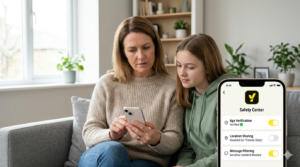
Yubo is a high-interaction social app built around live streaming, swiping and direct contact, so device and account control matter a lot more than they do on a passive app. Current parent guidance says Yubo does not offer traditional parental controls, so the safety approach depends on account settings, device rules, moderation tools and whether the teen should be on the app at all.
That means parents need to think less about “locking the app” and more about controlling access, visibility, location, messages and account recovery. Yubo’s safety settings can help, but they are not a substitute for supervision and clear family rules.
This guide focuses on the settings that matter most, how to use them, and the practical limits families should understand before allowing a teen to use Yubo.
What is Yubo?
Yubo is a social app designed to help people meet new friends through swiping, live streams and direct messaging. Safety guidance from eSafety and parent organisations describes it as a location-based social app with live streaming as a core feature.
That combination is the reason the app needs careful management. It is not a quiet photo feed or a simple chat app. It is a discovery-and-contact platform where visibility, age, location and messaging all matter.
Why device and account control matter
Yubo’s main risks come from who can find the teen, who can message them and whether the app exposes too much location or profile information.
Because the app is built around meeting new people, a teen may be tempted to loosen settings or create a new account if they want more attention. That is why control must happen both at device level and inside the account itself.
For parents, the practical question is not just “what can the app do?” but “how do I stop my child from using it in a way that makes them easy to contact?”
Does Yubo have parental controls?
Vodafone’s current guidance says Yubo does not have parental controls because it is intended for 18+ users. That means parents cannot rely on a family dashboard or native child-account system in the way they can on Xbox or Nintendo.
Instead, safety depends on Yubo’s own account settings, age verification, moderation and the parent’s device rules at home.
Age verification and account access
Yubo uses age verification to separate users into age groups, and parent guides say the process can involve selfie-based checks, ID upload or the Yoti identity system.
This is important because it reduces the chance of adults and minors mixing freely. However, families should still treat age verification as one layer of protection rather than the whole answer.
If a teen is too young for the app, the safest option is to keep the account off the device rather than trying to manage it casually.
Location controls
One of the most important Yubo settings is location visibility. Parent guides say users can turn off location, hide their city or limit how much location detail is shared.
This matters because Yubo is designed for social discovery, and location data makes it easier for people to find users nearby.
For teens, location should be as limited as possible. Showing a country is one thing; showing a city or precise area creates a much bigger safety risk.
Swipe and visibility settings
Yubo lets users control swipe visibility and discovery preferences, including whether their profile is shown and how much it is shown to other users.
Parent guidance says users can hide their profile from swiping, which is a useful way to reduce unsolicited attention.
Parents should review these settings regularly, because a curious teen may change them to get more interaction without understanding the consequences.
Messaging and content filters
Yubo’s safety guidance includes message filtering and muted words controls, which can block inappropriate language or reduce exposure to triggers.
That helps, but it is still a reactive defence rather than a perfect barrier. Parents should not assume bad messages will never get through just because a filter is on.
Blocking and reporting remain essential because the app’s live, social nature means there is always some risk of contact from unwanted users.
Live stream safety
Yubo says it monitors livestreams and direct messages, and some safety guidance says live sessions are monitored using a mix of AI and human review.
That is helpful, but live video still carries obvious risks: oversharing, background clues, location clues, attention-seeking behaviour and pressure from viewers.
Parents should be especially cautious if a teen wants to go live regularly, because livestreaming changes the risk level from “private chat” to “public performance.”
Device-level controls parents should use
- Keep the app off younger children’s devices if they are not mature enough for live social contact.
- Use device screen-time rules so Yubo is not available late at night.
- Disable notifications where possible so the app does not constantly pull the teen back in.
- Keep the device in a shared area if the teen is allowed to use Yubo.
- Review installed apps regularly so the teen is not using a hidden second account or clone.
Account-level controls parents should insist on
- Age verification must be accurate.
- Location sharing should be off or minimal.
- Profile visibility should be restricted.
- Muted words and message filters should be enabled.
- Blocking and reporting should be understood before the app is used.
- The teen should never share social handles, phone numbers or other contact details in chat.
What parents should know about the limits
Yubo is not built around family control tools, and that makes it fundamentally different from child-account systems on gaming consoles or streaming platforms.
It also means a determined teen may be able to undo some of the app’s settings if they know what they are doing.
So the real safety solution is usually a mix of device restriction, account review, conversation and, in some cases, not allowing the app at all.
Yubo safety: the simple verdict
Yubo can be managed more safely when device access is limited, account settings are locked down and location, visibility and messaging controls are used carefully.
But it remains a high-contact social app built for meeting new people, which means the risk profile is always higher than a passive app or a closed friends-only platform.
If you remember one thing, make it this: Yubo is only as safe as the child’s visibility, location and contact controls — and parents need to treat those as non-negotiable.
Quick FAQ for parents
Does Yubo have parental controls?
Vodafone’s guidance says no, Yubo does not have traditional parental controls.
Can parents hide a teen’s location on Yubo?
Yes. Parent guides say users can turn off location and hide their city.
Can parents stop strangers finding a teen on Yubo?
To some extent. Users can hide their profile from swiping and adjust discovery settings, but the app is still designed for meeting new people.
Does Yubo monitor live streams?
Yubo says it monitors livestreams and direct messages, and safety guidance says live sessions are monitored with AI and human moderation.
What is the most important setting?
For most families, the most important settings are location, visibility and message filtering.
Read our latest article on the governments plans to ban under 16s from social media here.