Physical Address
304 North Cardinal St.
Dorchester Center, MA 02124
Physical Address
304 North Cardinal St.
Dorchester Center, MA 02124

Your Go-To for Digital Advice
Your Go-To for Digital Advice
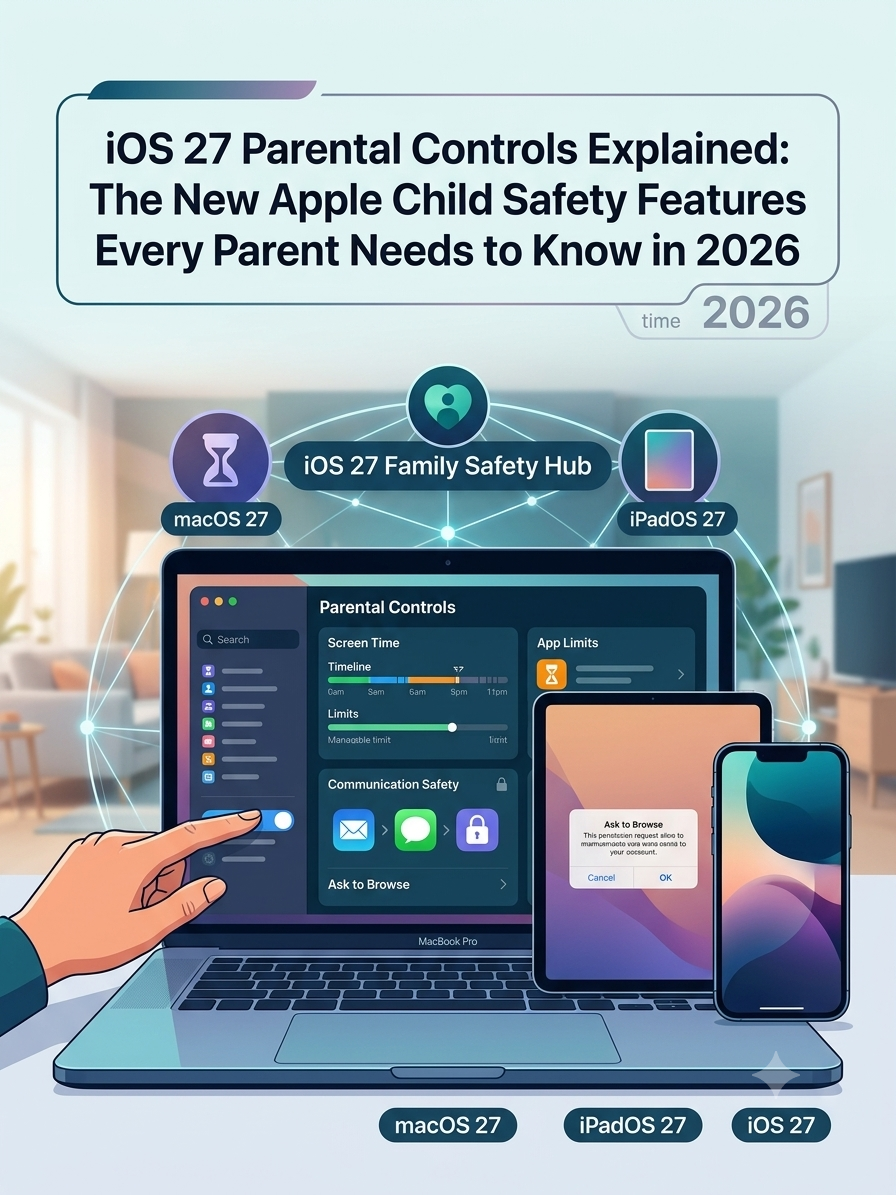
Apple’s iOS 27 introduces major new parental controls including Ask to Browse, redesigned Screen Time, app access controls and stronger child safety features. Here’s what parents need to know in 2026.
Apple has given parents one of its biggest family safety updates in years. With iOS 27, iPadOS 27 and macOS 27, Apple is rolling out new child safety tools designed to help parents manage what children can see, who they can talk to, and how long they can use apps and devices.
If you are a parent trying to keep up with screen time, web safety, messaging risks and app access, this is one of the most important tech updates of 2026. Apple has previewed new features including Ask to Browse, redesigned Screen Time controls, better app setup for child accounts, and expanded communication safety protections.
For years, many parents have used Apple Screen Time as a basic way to limit apps, block content and create downtime. It has been useful, but it has also been clunky. Parents often found it confusing to manage, too easy for families to ignore, or too blunt when what they really needed was more flexible control.
That is why iOS 27 matters. Apple says the new child safety features are designed to give parents more control over children’s content, communication and device access time. In simple terms, that means better tools for deciding what your child can open, who can contact them and when their device should be available.
Just as importantly, Apple is trying to make these tools easier to set up in the first place. The company has previewed a simpler child account experience, recommended app choices for children, and a more modern Screen Time setup that looks more practical for real family life than older versions.
For busy parents, that combination matters. A feature only helps if it is clear enough to use and flexible enough to fit how your family actually lives.
Apple previewed a package of new child safety features in June 2026. These updates are tied to iOS 27 on iPhone, iPadOS 27 on iPad, and macOS 27 on Mac, which means the new family safety approach is not just for one device. It is meant to work across the Apple ecosystem.
The headline features parents should know are:
If you only remember one thing, remember this: iOS 27 is not just a small settings tweak. Apple is repositioning parental controls as a more active, day-to-day family safety system.
The most talked-about new feature is Ask to Browse. This builds on the familiar idea behind Ask to Buy. Instead of only approving app purchases or downloads, parents can now approve new websites before their child visits them in Safari.
That is a major shift. In the past, many parental controls worked by blocking categories, using web filters, or letting children browse until something inappropriate slipped through. Ask to Browse gives parents a more direct approval step for new websites.
In practice, that means a child using a supervised Apple setup can request access to a website and the parent can review it before deciding. That is especially useful for younger children, pre-teens, and families who want tighter web oversight without banning browsing altogether.
This approach may also feel more realistic to many families. Children often need access to the web for school research, hobbies, videos, fan sites, gaming communities and random questions. A simple yes or no approval process can be more manageable than trying to guess every site they may one day want to visit.
For SEO and parent interest, this is exactly the kind of topic that performs well because it connects a trending software update to a clear real-life concern: “How do I stop my child opening unsafe websites on an iPhone?”
Parents should not think of Ask to Browse as a magic solution. It will not replace conversations, trust, or wider digital parenting. But it can be a very helpful gate for families who want more visibility into what children are trying to access.
For example, imagine your child wants to open a new gaming wiki, a random video site, a social platform on the web, or a site a friend has shared in a group chat. Instead of assuming the site is fine, Ask to Browse gives the parent a chance to check first.
That matters because many online risks do not come from obviously bad websites. They come from ordinary-looking sites with unmoderated comments, misleading ads, adult jokes, aggressive pop-ups, shaky privacy practices or links out to riskier places.
Parents often do not need total lock-down. They need a pause button between curiosity and access. That is why Ask to Browse is such a smart topic for a parent-facing article. It speaks directly to how modern families actually use tech.
Apple is also overhauling Screen Time in iOS 27. This is important because Screen Time has long been one of the main parental control tools on Apple devices, but many parents have found it frustrating to manage.
The new version includes Time Allowances, which help parents manage how long children spend in categories such as social media, games and entertainment rather than only setting individual app limits. That may sound like a small change, but it is a big improvement in practice.
Why? Because children do not just switch between one app and one other app. They move between YouTube, games, chat apps, browser tabs and entertainment apps throughout the day. Category-based time control is often much closer to how families actually want to set boundaries.
Instead of micromanaging every single app, parents can think more broadly. For instance, you may decide your child can have a certain amount of gaming time after homework, limited entertainment time before dinner, and no social media during school hours.
Time Allowances appear to be one of the most practical parts of the update. Apple says parents will be able to manage time across categories such as Entertainment, Games and Social Media. That gives families a clearer way to set rules around behaviour rather than just around app names.
This matters because children are good at finding workarounds. If one app is blocked, they may move to another that does something similar. A category-based system is harder to sidestep and easier for parents to understand.
It also creates better conversations at home. A rule like “no social media before school” is easier to explain than “this app is blocked, but that one is not, and this other one only works for 15 minutes on Tuesdays.” Simpler rules usually lead to less friction.
Many families will probably find that the real value of iOS 27 is not stricter control. It is clearer control.
Apple’s redesigned parental controls also include daily schedules for app access and screen use. This could be especially helpful for school mornings, homework time, evenings and bedtime routines.
Most parents do not want the same rule to apply all day long. They want different rules for different parts of the day. A child may need access to educational apps and messaging for family contact after school, but not late-night browsing or gaming during homework hours.
Schedules make parental controls feel more like a family routine and less like a punishment tool. That distinction matters. The best parental controls support structure, not constant conflict.
It also fits broader advice around family media planning. Good digital habits are usually easier to build when children know what the routine is, what the screen-free times are, and what happens next instead of feeling that rules change randomly.
Another key part of the iOS 27 update is the child account experience. Apple says it is making it easier for parents to create or configure a child account with age-appropriate safeguards and app access choices.
That may not sound exciting, but it is one of the most important parts of the whole system. The truth is that many parental controls only work properly when the device has been set up in the right account structure from the start.
When families skip that setup or leave a child using what is effectively a standard adult device, they miss many of the protections Apple intends. A stronger onboarding flow could help more parents actually turn the right settings on.
Apple has also indicated that parents will be able to choose from app sets that are essential, curated or more customised for the individual child. That could make first-time setup far less overwhelming, especially for younger children getting a first iPhone or iPad.
One of the practical frustrations for parents is the all-or-nothing feeling many devices create. Either you give a child a phone and hope for the best, or you lock it down so tightly that normal family use becomes awkward.
Apple’s new child setup tools look designed to sit in the middle. Parents will be able to start with a tighter set of approved apps and expand access over time as the child grows, shows readiness, or needs more for school and independence.
That is a much healthier model than handing over a fully open device from day one. It encourages gradual access instead of instant full access. For children, that can be safer. For parents, it can feel more manageable.
It also helps families think of digital independence as something earned and reviewed, not simply switched on all at once.
Parents are not only worried about content. They are also worried about contact. Who can message their child? Who can call them? Who can add them? Who can pressure them in chats?
Apple is expanding child safety controls around communication so parents can better manage who their children can talk to through features like Messages, FaceTime and phone contact controls. That is a big deal because many online risks now come through direct contact rather than just passive browsing.
For younger children in particular, tight communication controls make sense. Many families want children to be able to contact parents, siblings and a few trusted relatives without opening the door to broad or unmanaged messaging.
That can also reduce the chance of strangers, scammers, or inappropriate contacts slipping into a child’s device environment through seemingly ordinary communication tools.
Apple’s Communication Safety features are also expanding. The company has said that the system will now warn children about violent or gory content in addition to nudity.
That matters because many families think first about sexual content when they hear “online safety,” but graphic violence can also be deeply upsetting, especially for younger children. Some children actively seek shocking content out of curiosity, while others stumble across it unexpectedly.
Adding violent-content warnings shows that Apple is recognising a wider definition of child safety. Parents are not just worried about one kind of risk. They are worried about the cumulative effect of distressing content, algorithmic curiosity traps and content children are simply not ready for.
From a blog perspective, that makes this topic even stronger because it widens the audience beyond parents focused only on screen time. It speaks to emotional wellbeing too.
If you are planning to cover iOS 27 for parents, it helps to give practical next steps rather than just explain features. Readers usually want to know what they should check now, what to prepare, and what to change once the update arrives.
A useful checklist for parents would include the following:
That final point is important. Parental controls work better when they are explained in advance, not suddenly dropped in after a problem.
One reason family tech rules fail is that adults often frame them only as restriction. Children hear “you are losing freedom” instead of “we are putting safer guardrails in place as you grow.”
When parents explain new iOS 27 controls, it helps to use calm, simple language. You might say that the phone is not being taken away, but the settings are being adjusted to match your child’s age, school needs, sleep needs and safety needs.
For example, you could explain Ask to Browse as a check-in tool, not a spying tool. You could explain schedules as a routine, not a punishment. You could explain contact controls as protection from strangers and pressure, not distrust.
The more neutral and predictable the explanation, the less likely these settings are to become a source of daily argument.
No. It is important to be honest about that. Better parental controls do not automatically create better digital habits.
A child can still become fixated on approved content. Family conflict can still happen around limits. Older children may still push against boundaries. And no software tool replaces regular conversations about privacy, pressure, sexting, scams, strangers, sleep, self-control and what to do when something online feels wrong.
What iOS 27 can do is make the practical side of family safety easier to manage. It can reduce friction, increase visibility and help parents create clearer rules around websites, app categories, daily timing and contacts.
That is still a significant improvement. For many households, simpler systems lead to more consistent use, and consistency is often what matters most.
These new iPhone parental controls will matter most to several types of families. First, parents of younger children using an iPhone or iPad will likely get the biggest benefit, especially if web access and app access have felt hard to manage.
Second, parents of pre-teens and early teens may find the new system especially useful because this is often the stage where device independence rises quickly but judgement is still developing. Ask to Browse, contact controls and category-based time limits all fit that middle ground well.
Third, families already inside the Apple ecosystem are likely to benefit most because these changes extend across iPhone, iPad and Mac. The tools make more sense when a family uses Apple devices together rather than relying on one-off settings on a single device.
Finally, any parent who has felt that Screen Time was too fiddly or too limited should pay attention. Apple appears to be addressing exactly those complaints.
If you are publishing this as a new post, there is strong search potential because the topic sits at the intersection of Apple news, child online safety, parental controls and practical setup help. Those are all evergreen parent concerns, and the iOS 27 angle gives the article fresh relevance.
Useful keyword themes naturally connected to this article include:
The best-performing version of this topic is usually not a generic news post. It is a parent translation post. In other words, explain what changed, what it means, what parents should do, and what problems it may actually help solve.
If this article is going on Understand Tech, it would make sense to internally link it to your existing guides on Apple Screen Time, online predators, privacy settings, general online safety, and device setup for families.
For example, you could link naturally to articles covering how to update software on children’s devices, how to use Screen Time, how to protect children from online predators, and how to tighten privacy settings on social apps and devices.
That helps in two ways. It improves site structure for search engines, and it helps readers move from the news angle into practical how-to support. That is often exactly what parent audiences want.
Even with stronger parental controls, parents will still have sensible questions. Will children find workarounds? Will these settings be easy enough to maintain? Will families need every device updated for the best results? Will teenagers accept these controls, or see them as too intrusive?
Those are fair questions. In real life, no parental control setup stays perfect forever. Children grow, apps change, online culture shifts, and what works at age nine may be completely wrong at age fourteen.
That is why parents should treat iOS 27 as a better toolkit, not a final answer. The strongest digital parenting approach still combines settings, routines, trust, privacy awareness and regular review.
In other words, settings are the guardrails. Parenting is the steering.
Apple’s update also reflects a larger trend in family tech. Parents increasingly want built-in protections that help them shape children’s digital lives more intentionally instead of simply reacting after problems happen.
There is growing pressure on platforms and device makers to make family safety more practical, more age-aware and easier to use. Parents are tired of being told to “just monitor more” while the tools remain confusing or inconsistent.
iOS 27 suggests Apple sees that shift. The focus is moving toward guided setup, permission-based access, better communication controls, category-level screen rules and clearer family resources. That is not just a product update. It is a sign of where family tech is heading.
If your child uses an iPhone or iPad, iOS 27 is worth paying attention to. The new parental controls look more flexible, more realistic and more useful than older versions of Screen Time alone.
The standout change is Ask to Browse, because it gives parents a much more direct role in web access without requiring a blanket internet ban. Alongside that, category-based Time Allowances, schedules, child account improvements and stronger communication safety tools could make Apple devices easier to manage for family life.
The most important thing parents can do is not wait until there is a problem. Review your current setup, think about your family’s routines, decide where you want clearer limits, and use the arrival of iOS 27 as a chance to reset your household’s digital rules in a calmer, more intentional way.
Yes. Apple has previewed Ask to Browse as part of its new child safety features for iOS 27, with support across Safari on iPhone, iPad and Mac.
The main benefit is more practical control. Parents can better manage websites, app access, contacts and screen time in a way that fits real family routines.
Yes. Apple has previewed a redesigned Screen Time experience with Time Allowances and schedules that look more flexible than older app-by-app limits.
Yes. Ask to Browse is designed to let parents approve new websites before a child visits them in Safari.
No. Apple has said these child safety features are coming across iOS 27, iPadOS 27 and macOS 27.