Physical Address
304 North Cardinal St.
Dorchester Center, MA 02124
Physical Address
304 North Cardinal St.
Dorchester Center, MA 02124

Your Go-To for Digital Advice
Your Go-To for Digital Advice
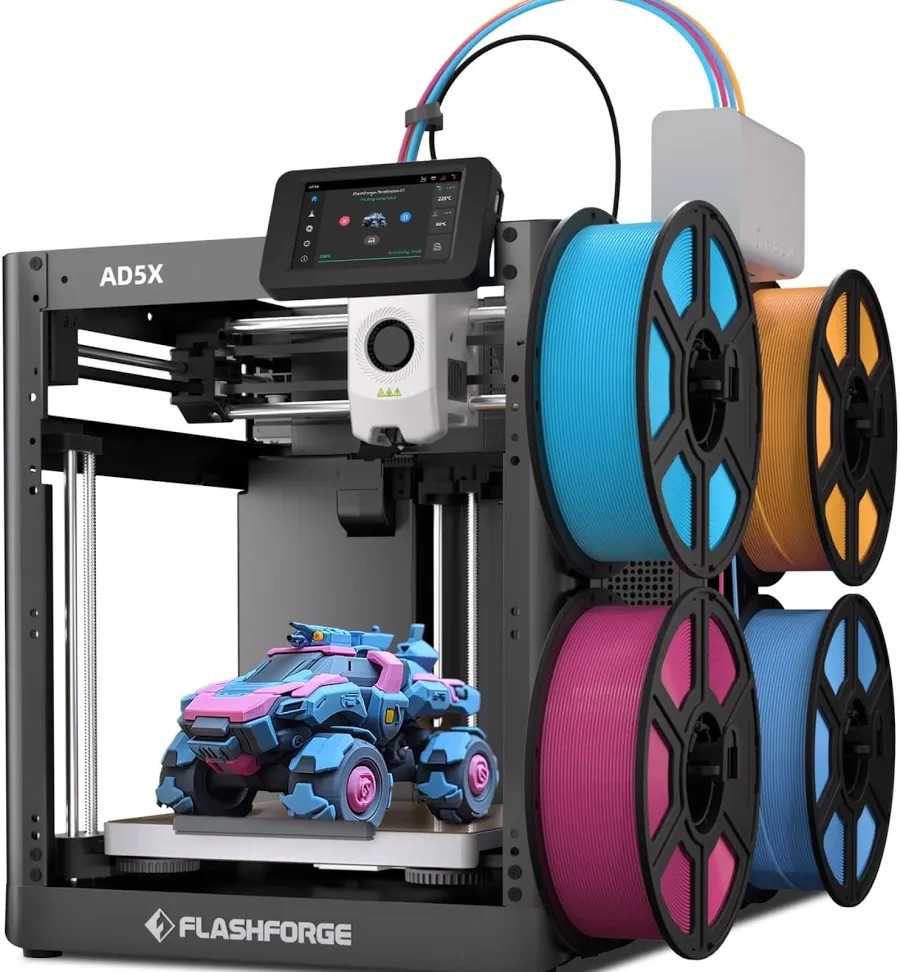
Dive into the future of 3D printing with our comprehensive guide to the top printers of 2026. Discover how CoreXY technology revolutionizes speed and precision, and learn about the seamless integration of automatic calibration that transforms your printing experience.
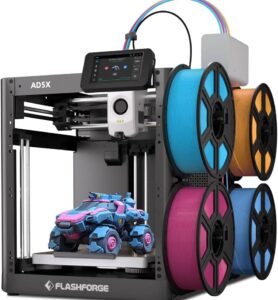
The 3D printing landscape has undergone a seismic shift in the past 24 months. Consumer-grade machines that cost £300 today deliver print quality, speed, and reliability that would have been considered “professional-tier” equipment just three years ago. The commoditization of CoreXY motion systems, the democratization of multi-material printing, and the rise of fully automated calibration systems have fundamentally transformed what’s possible at consumer price points.
This comprehensive guide cuts through the marketing hype to deliver technical depth, honest assessments, and personalized recommendations for UK-based users, content creators, and hobbyists. Whether you have £150 or £1,500 to invest, we’ll help you identify the printer that delivers maximum value for your specific use case.
Key Question We Answer: Given the vast array of machines, motion systems, and capabilities available in December 2025, which 3D printer actually represents the best investment for your situation?
The CoreXY motion architecture—once reserved for £2,000+ machines—now appears on printers under £300. This matters enormously because CoreXY systems keep the print bed stationary while moving only the lightweight print head in X and Y directions.
Motion Physics: In CoreXY systems, the heaviest moving component is the print head (roughly 500g–800g). The X and Y motors are decoupled, meaning each drives approximately 1/√2 of the motion, distributing acceleration loads evenly. This permits extreme acceleration—Bambu Lab A-series printers achieve 10,000 mm/s² (10G of acceleration), comparable to sports car 0-60 performance in linear motion.
Bed Slingers (Traditional): Conversely, bed-slinger machines move the entire build platform (heated base, magnetic plate, print + filament = 2kg–4kg) back and forth along the Y-axis. Accelerating that mass requires either lower acceleration limits or longer movement times. This is why traditional Ender 3 models cap at 8,000 mm/s² and can’t achieve the speed-to-quality ratio that CoreXY offers.
Practical Impact: A detailed benchy print (80mm tall) completes in 14–18 minutes on CoreXY at 0.2mm layer height versus 45–60 minutes on bed-slingers at identical settings. That 3–4× speedup is physics-driven, not marketing.
Gone are the days of adjusting bed leveling screws while inserting feeler gauges. Modern machines perform this autonomously:
Result: First-layer success rate exceeds 99% on modern machines. Beginner users no longer face the demoralizing experience of failed prints due to leveling mistakes.
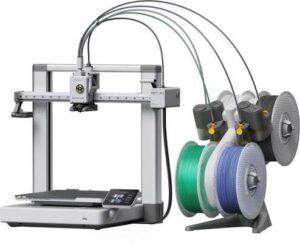
The Bambu Lab Automatic Material System (AMS) has become the category standard. The AMS Lite holds 4 filament spools, automatically feeds the correct material to the extruder, purges the nozzle between color changes, and ejects purged material—all without user intervention.
Hardware: Four motorized filament paths lead to a selector mechanism that directs material through a single tube into the printer’s direct-drive extruder. Each path has a tension spring that retracts filament when not in use, preventing oozing.
Purge Process: When changing colors, the printer automatically:
Material Waste: Approximately 3–5 grams per color change (roughly 1–2% of a typical spool’s weight). The CFS system used in Creality K2 Plus wastes 8–10g due to its larger nozzle chamber.
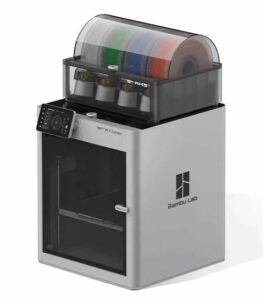
In 2024, Bambu Lab faced community backlash over closed-source firmware. The company responded by offering optional firmware unlock (via one-time waiver) that enables root access and third-party firmware installation. While standard Bambu machines remain closed-source (providing quality control and warranty protection), users now have the choice.
Creality machines, meanwhile, have shipped with open Klipper firmware, allowing advanced users to modify behavior directly. Prusa continues its open-source tradition, with detailed CAD files and source code publicly available.
Bambu Lab, Creality, and several emerging brands now offer Wi-Fi connectivity enabling:
For content creators, this is game-changing: you can film videos while monitoring prints, capture timelapse footage automatically, and manage multiple machines without walking to each one.
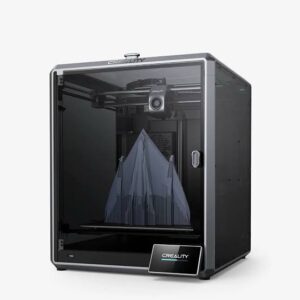
£1,100–£1,350
The Creality K2 Plus stands uncontested as the most capable all-around 3D printer available today. It combines the largest build volume in its class, the fastest acceleration of any FDM printer, professional-grade temperature handling, and a fully enclosed heated chamber.
The 30,000 mm/s² acceleration figure appears impossible until you understand the mechanical implementation. The K2 Plus uses:
By contrast, Bambu’s 10,000 mm/s² limit stems from their deliberate design philosophy: maximize quality per unit time rather than absolute speed. Bambu achieves acceptable part quality at 500 mm/s with conservative acceleration, whereas Creality prioritizes maximum speed for speed-focused users.
The Creality Filament System (CFS) differs from Bambu’s AMS in one critical way: larger nozzle chamber (~0.3 cubic centimeters vs. AMS’s ~0.15 cc). This means:
£169–£199
The A1 Mini embodies the philosophy: “Remove every possible source of confusion from the user.” Out of the box, it delivers professional print quality with zero calibration required.
Why This Matters: Traditional printers rely on static extrusion multiplier (a percentage adjustment to the software’s calculated extrusion). This doesn’t adapt to real-world variables: filament diameter variance (±0.05mm), nozzle wear, temperature gradients, or ambient humidity.
Bambu’s Solution: An eddy-current sensor mounted in the nozzle heater block measures magnetic permeability changes as filament enters the melt zone. This indirectly measures the pressure exerted by the extruder motor. The firmware compares actual pressure to expected pressure and adjusts motor speed in real-time—up to 100× per second.
Result: Consistent extrusion width (±0.02mm) regardless of filament batch, environmental conditions, or nozzle wear. This single feature is why first-layer failure is virtually impossible on Bambu machines.
£259–£369
The A1 represents nearly optimal cost-to-capability ratio. You gain 78% more build volume compared to the Mini while paying only 50% more. When bundled with AMS Lite (nearly always included at this price), you get 4-color printing automatically included.
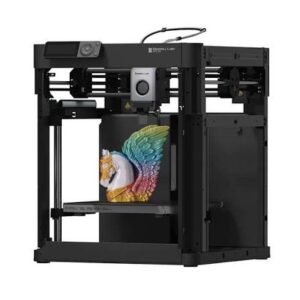
If you’re seriously considering the Bambu Lab A1 or A1 Combo, watch this video: https://youtu.be/uTKkxl8y-BI
Why this video is exceptional: JustVlads delivers an 88-minute deep-dive that rivals official manufacturer training materials. The production covers:
JustVlads’ honest, enthusiastic commentary answers 90% of pre-purchase questions. His meticulous attention to detail and professional filming production (sharp close-ups, clear audio, organized structure) make this the definitive resource for anyone considering Bambu Lab products in the UK market.
A huge shout-out to @JustVlads for this exceptional content. His work exemplifies what creator-focused technology education should look like.
£150–£200
The Ender 3 V3 SE represents the absolute lowest entry point into CoreXY technology without sacrificing core features. At under £200, you’re paying for function, not aesthetics or premium ecosystem.
£900–£1,100
Prusa’s first CoreXY printer combines their legendary reliability with modern motion architecture. The CORE One isn’t the fastest machine, but it’s arguably the most thoughtfully engineered.
Prusa Research, founded by Josef Průša in the Czech Republic, approaches 3D printer design differently than competitors:
Result: A Prusa machine purchased in 2025 will likely print flawlessly in 2035 with community support and spare parts abundantly available.
The choice between CoreXY and bed-slinger is the single most important factor determining print speed and user experience.
How it works: The build platform slides back and forth along the Y-axis (front-to-back movement). The print head moves left-right (X-axis) while mounted on a stationary gantry above. Both axes move simultaneously to achieve diagonal motion.
Moving Mass: The entire heated bed platform (~3kg including build surface, magnetic substrate, and heating electronics) must accelerate and decelerate 50–100 times per second during printing. Accelerating 3kg requires either:
Vibration Consequence: Every bed deceleration creates a shock wave that travels through the machine frame. Print heads positioned above the bed experience this vibration, causing ringing artifacts (wavy texture) on print surfaces.
Advantage—Cooling: The bed’s continuous motion naturally fans the printed part, improving cooling uniformity for materials like PLA and TPU. This is why bed-slingers are often preferred for flexible materials.
How it works: The bed remains stationary. Two belts drive the print head in orthogonal directions using a clever constraint system: each stepper motor drives both X and Y motion simultaneously through belt geometry. Diagonal motion requires no coordinate transformation—it’s the native motion of the system.
Moving Mass: Only the print head (~600g) moves, plus stepper motors (mounted to the frame, not moving). This 5× reduction in moving mass permits aggressive acceleration without motor limitation.
Acceleration Advantage: With 10× lower inertia, CoreXY systems can achieve 10,000 mm/s² (K2 Plus: 30,000 mm/s²) where bed-slingers max at 5,000–8,000 mm/s².
Speed Consequence: Higher acceleration means print time drops 3–4× for identical geometry. A benchy that takes 50 minutes on bed-slinger prints in 12–15 minutes on CoreXY.
Disadvantage—Cooling: The stationary bed means no natural part cooling beyond the print head’s integrated fans. This makes TPU and cooling-sensitive materials slightly trickier (but not impossible—all modern CoreXY machines have adequate fans).
Hot end temperature directly determines material compatibility:
| Hot End Temp | Materials Possible | Notes |
|---|---|---|
| 240°C | PLA, TPU, PVA | Entry-level. No PETG or ABS without compromises. |
| 260°C | PLA, TPU, PETG (marginal), low-temp PLA variants | Creality Ender 3 limit. PETG theoretically possible but requires perfect bed adhesion. |
| 300°C | PLA, PETG, TPU, PVA, ASA (with enclosure), nylon (with drying) | Bambu A-series, Prusa CORE One. Professional-grade materials viable. |
| 350°C+ | PLA, PETG, TPU, ASA, nylon, polycarbonate, PEEK-adjacents | Creality K2 Plus. True engineering-grade materials possible. |
A frequent misconception: larger nozzles simply print bigger. Actually, nozzle diameter determines maximum volumetric flow rate:
Flow Rate (mm³/s) = Layer Height × Nozzle Diameter × Print Speed
Example: Standard 0.4mm nozzle, 0.2mm layer height, 100 mm/s = 0.2 × 0.4 × 100 = 8 mm³/s
To achieve same flow with 0.6mm nozzle: 0.2 × 0.6 × X = 8; solving for X gives 66.6 mm/s (slower, but wider extrusion per unit time)
Most FDM hotends max out at 15–25 mm³/s before plastic overheating and extrusion inconsistency occurs. Larger nozzles expand this ceiling slightly, but not proportionally.
Practical Implication: Switching from 0.4mm to 0.6mm nozzle lets you increase layer height from 0.2mm to 0.3mm, reducing print time ~25%, but not 50%.
Ringing (wavy texture on vertical walls) occurs because print head acceleration causes the entire printer to vibrate. Understanding this is critical:
Mechanical Resonance: Every 3D printer has natural resonance frequencies determined by its frame stiffness, mass distribution, and bearing preload. Typical FDM printers resonate at 10–50 Hz.
Excitation: When the print head accelerates/decelerates, it imparts energy at frequencies matching machine resonance. The frame rings like a struck bell, causing the nozzle to oscillate 0.1–0.5mm side-to-side.
Result: Every corner or diagonal line exhibits wavy patterns.
Modern Solution—Input Shaping: Bambu Lab and newer Creality machines employ firmware-level acceleration curves that avoid resonance frequencies. Instead of instant acceleration (which excites all resonances), the firmware ramps acceleration smoothly, avoiding peaks that match machine resonance.
Example: Instead of accelerating at constant 10,000 mm/s² (exciting all frequencies), the firmware might use a sigmoid acceleration curve peaking at 6,000 mm/s² then declining. This avoids the 15 Hz natural resonance while still achieving high speed.
| Printer | Price Range | Multi-Color | Best For |
|---|---|---|---|
| Bambu Lab A1 Mini | £169–£199 | AMS Lite (£90) | Beginners, compact spaces |
| Bambu Lab A1 | £259–£369 | AMS Lite (often included) | Most hobbyists, creators |
| Creality Ender 3 V3 SE | £150–£200 | Not available | Budget constraints |
| Prusa CORE One | £900–£1,100 | Not available | Professionals, precision |
| Creality K2 Plus | £1,100–£1,350 | CFS included | Large format, production |
Bambu Lab Official Store (UK):
Creality UK Retailers:
Prusa Research (EU):
Build Platform Adhesion: Premium PEI sheets (textured or smooth) cost £15–£30 as replacements. Standard printers include one; expect to replace yearly with heavy use.
Nozzles: £3–£8 per replacement. Most printers include 1–2 extras; budget 2–3 replacements per year at moderate use.
Filament: £15–£25 per 1kg spool (PLA budget to premium). Bambu Lab proprietary filament runs £18–£22, 3rd-party alternatives £12–£18.
First-Aid Kit: Nozzle cleaning tools (£5), bed scrapers (£3), tweezers (£2), sandpaper assortment (£5). Total ~£20 one-time.
Under £250: Creality Ender 3 V3 SE (£150–£200). Functional and reliable, though missing Wi-Fi and speed.
£250–£400: Bambu Lab A1 or A1 Mini (£169–£369). Best overall value; automatic everything.
£400–£900: Consider used P1S (£600–£700) or assess Elegoo/Flashforge alternatives.
£900+: Prusa CORE One (£900–£1,100) for reliability or Creality K2 Plus (£1,100–£1,350) for volume.
YES: Bambu Lab A1 or A1 Combo (£259–£369). Wi-Fi monitoring, automatic timelapse, and multi-color printing are game-changers for video content.
NO: Any printer works; prioritize speed or build volume based on projects.
Desk/Shelf Space (Small): Bambu Lab A1 Mini (180³ mm footprint) or Creality Ender 3 V3 SE (compact frame).
Dedicated Corner (Medium): Bambu Lab A1 (256³ mm, takes ~50cm² floor space when open).
Workshop/Studio (Large): Creality K2 Plus (350³ mm volume, requires ~1.5 m² operating space).
PLA Only: Any printer works equally well.
PETG/TPU: Bambu A-series (300°C), Ender 3 V3 SE (marginal), or Prusa CORE One.
ABS/ASA/Nylon: Prusa CORE One (£900+) or Creality K2 Plus (£1,100+). Both require enclosure.
Polycarbonate or Exotic: K2 Plus only (350°C capability).
Bambu Lab A1 with AMS Lite Combo (£259–£369)
This machine aligns perfectly with your situation as a UK-based tech content creator:
Expected ROI: One in-depth 3D printing guide article + two video scripts + social media content = equipment cost justified within the first month.
Creality K2 Plus (£1,100–£1,350)
If you plan to make 3D printing a major content pillar and want to create genuinely impressive, large-format projects:
Creality Ender 3 V3 SE (£150–£200)
If you’re testing whether 3D printing interests your audience before committing significantly:
Prusa CORE One (£900–£1,100)
If durability, repairability, and community support are priorities:
The 2025 3D printer landscape offers unprecedented capability at every price point. A £300 Bambu Lab A1 delivers performance that would have commanded a £1,500+ price tag five years ago. CoreXY motion, automatic calibration, Wi-Fi monitoring, and multi-color printing are no longer luxury features—they’re standard expectations.
For you as a UK-based tech content creator, the Bambu Lab A1 Combo represents the convergence of affordability, reliability, and feature density. The combination of 4-color printing, Wi-Fi integration, quiet operation, and exceptional ease-of-use directly enables your content creation workflow while remaining accessible as a business investment.
Watch @JustVlads’ exceptional 88-minute A1 Combo review (linked above) to eliminate any pre-purchase hesitation. His production quality and technical depth provide the confidence you need before committing.
Take advantage of current promotional pricing (December 2025 has seen aggressive end-of-year discounting). The combination of lower prices, mature 2025 hardware, and a vast ecosystem of community resources means now is genuinely the optimal time to invest.
The best time to buy a 3D printer was 2024. The second-best time is today.