Physical Address
304 North Cardinal St.
Dorchester Center, MA 02124
Physical Address
304 North Cardinal St.
Dorchester Center, MA 02124

Your Go-To for Digital Advice
Your Go-To for Digital Advice
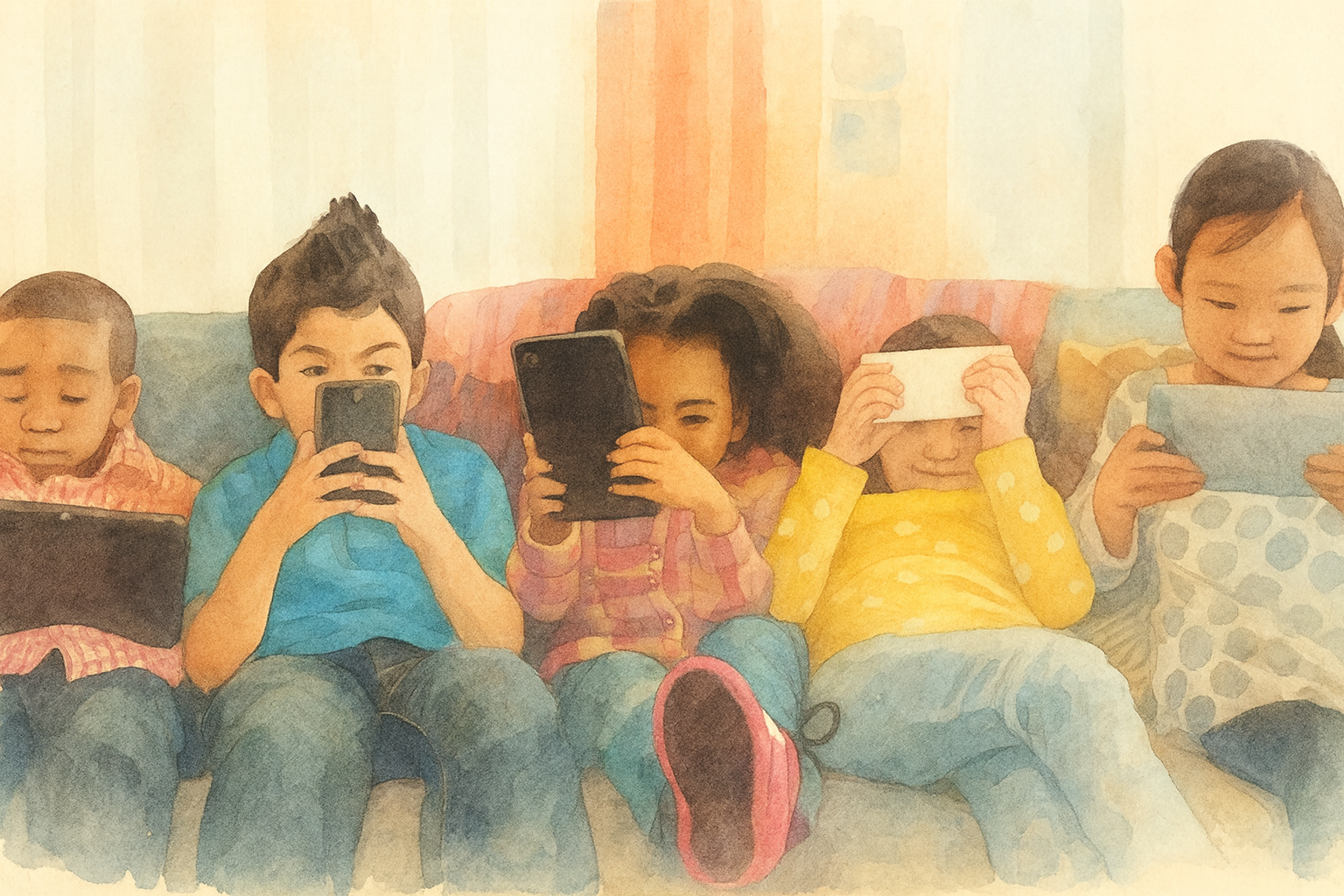
Discover how to transform your child's tablet habits with our actionable guide! Learn effective strategies to curb screen addiction, boost sleep, and replace tablets with enriching activities. Empower your parenting journey today.
Practical, calm strategies to reduce screen time, manage YouTube addiction, protect sleep, and replace tablets with meaningful alternatives — written by parents, for parents.
If your child’s tablet has become a source of endless evening battles, late-night arguments, or “just one more video” negotiations that never end, you’re not alone.
Tablets are deliberately engineered to hold children’s attention — autoplay algorithms, bright screens, reward notifications, and infinite content feeds are all designed by teams of engineers to be as engaging as possible.
The problem isn’t your child’s lack of willpower; it’s that tablets are competing against sophisticated technology designed to maximize engagement.
The good news: there are practical, evidence-based strategies that work without resorting to complete bans, confiscation, or power struggles.
This guide covers everything from understanding why tablets are so hard to put down, to specific tactics for reducing screen time, protecting sleep, managing YouTube, and replacing screen time with activities your child will actually enjoy.
Before tackling solutions, it’s important to understand why tablets feel so compelling.
This isn’t about your child being lazy or undisciplined — it’s about how apps and platforms are designed.
Autoplay and endless content:
YouTube, TikTok, and streaming apps automatically play the next video without your child having to do anything.
This removes the natural “decision point” where they might otherwise pause and think, “Do I really want to keep watching?”
The algorithm predicts what they’ll like and serves it instantly, creating a flow state that’s genuinely hard to break.
Reward systems and notifications:
Apps use notifications (badges showing new messages, red dots indicating unread content, streaks, achievements) to trigger dopamine release in the brain.
These notifications create a habit loop: open the app → feel rewarded → come back for more.
Your child isn’t choosing to be glued to the tablet; their brain chemistry is being influenced by the app’s design.
Blue light and sleep disruption:
Screens emit blue light that suppresses melatonin (the sleep hormone).
The later a child uses a tablet, the more their natural sleep rhythm is disrupted.
A tired, overstimulated child is also more resistant to putting the device down — tiredness makes self-control harder.
FOMO (Fear of Missing Out):
For older children and tweens especially, the fear of missing conversations, trends, or social moments drives constant checking.
Peers are online, and disconnecting feels risky socially.
Understanding this context is crucial: you’re not fighting your child’s laziness or stubbornness; you’re helping them manage powerful technology that’s literally designed to be addictive.
These are habits many well-meaning parents fall into. Recognising them is the first step to changing the pattern:
You agree to one episode or video, but autoplay kicks in and starts the next one automatically.
Your child gets distracted, time evaporates, and what was supposed to be 15 minutes becomes 90 minutes.
Then there’s resistance when you ask them to stop, because the next episode has already started.
Why it happens: Autoplay is designed to be invisible and convenient. The app counts on most people not manually turning it off.
“Free” apps often bombard kids with ads, in-app purchase prompts, and aggressive marketing.
Games designed for children sometimes have pop-up notifications every few minutes asking for real money.
Your child learns to associate “fun” with “spend money” or “click through ads,” and you end up with unexpected charges on your bill or an overstimulated child.
Why it happens: Free apps make money through ads and in-app purchases. Kids are a major demographic because they have less resistance to pressure tactics.
The tablet becomes your go-to tool for calming a meltdown, managing boredom during a restaurant wait, or getting five minutes of peace.
This works short-term, but your child never learns other ways to regulate emotions or cope with boredom.
Eventually, they can’t function without the tablet in difficult moments, and actual emotional regulation skills atrophy.
Why it happens: It works. In the moment, it’s the fastest way to get peace. But it trains your child to expect the tablet as a coping mechanism rather than developing real emotional resilience.
Your child keeps the tablet in their bedroom “just to listen to music” or “check the time,” but ends up scrolling or watching videos late into the night.
They get 6–7 hours of poor-quality sleep instead of 9–10 hours of good sleep, leading to irritability, poor school performance, and ironically, more resistance to putting down the tablet (because tired brains crave stimulation).
Why it happens: Tablets are convenient, and you can’t see what your child is doing alone in their bedroom. Blue light and engaging content are powerful enough to override the normal sleep drive.
How much screen time is actually okay? The answer depends on age, content quality, and whether screen use is passive or interactive.
Here’s what research suggests:
| Age | Recommended Screen Time | Notes |
|---|---|---|
| Under 18 months | Avoid (except video chatting) | Infants learn through physical interaction and real-world sensory input. Screens provide no developmental benefit at this age. |
| 18 months to 2 years | High-quality content only, with co-viewing | If you use screens, watch together so you can explain and connect the content to real experiences. |
| 2 to 5 years | Max 1 hour per day of quality content | Co-view when possible. Focus on educational, slow-paced programming (not fast-paced cartoons with flashing lights). |
| 6 years and older | Consistent limits that don’t interfere with sleep, physical activity, or school | Quality matters more than quantity. 30 minutes of meaningful content is better than 2 hours of passive scrolling. |
More important than the number of minutes is the type of screen time:
Children respond to predictability. When screen time follows a clear, agreed-upon pattern, there are fewer surprise battles and more emotional safety.
Sit down with your child and discuss tablet use as a family decision, not a punishment.
Frame it this way: “Tablets are really fun and engaging, but scientists found that too much can affect our sleep and mood.
Let’s come up with a plan that feels fair to everyone.”
Agree on questions like:
Create a simple chart and post it on the fridge or near the tablet charging station.
Something like:
Visual schedules reduce arguments because they’re objective.
When your child asks, “Can I have the tablet?”, you can point to the chart instead of negotiating in the moment.
Five minutes before tablet time ends, give a calm, consistent warning: “You have 5 more minutes.”
At 2 minutes, “Two minutes left.”
At zero, use a quiet, friendly tone: “Time’s up. Let’s pause now.”
Consistent, predictable warnings reduce shock and resistance.
Your child knows it’s coming and has mental time to prepare for the transition.
Apple Screen Time and Google Family Link aren’t just for preventing downloads — they’re powerful tools for enforcing routines automatically.
When the device locks at a preset time, there’s no negotiation; the settings make the decision.
These tools do the heavy lifting of enforcement, so you don’t have to be the “bad guy” saying no constantly.
The device itself enforces the boundaries.
The most common mistake parents make is removing the tablet without offering an alternative activity.
Your child gets bored, frustrated, and pushes back harder.
Instead, make the transition to something engaging.
When tablet time ends, use this approach:
“Time for tablets to stop now. What would you like to do next? We could [build with Lego / read together / go to the park / play a game]. What sounds good to you?”
Offering choices makes your child feel heard and gives them agency.
They’re not just losing the tablet; they’re choosing what comes next.
YouTube isn’t inherently bad, but without guardrails, it’s a rabbit hole of autoplay, recommendation algorithms, and age-inappropriate suggestions.
Complete bans often backfire (kids just watch at friends’ houses), so management is more realistic.
Sleep deprivation is one of the most underestimated harms of excessive tablet use.
A child with poor sleep is more irritable, has worse impulse control, and paradoxically, is more resistant to putting the tablet down (tired brains crave stimulation).
Stop all screens 60 minutes (ideally 45–90 minutes) before bedtime.
This isn’t arbitrary; it’s based on how long it takes for melatonin production to resume after blue light exposure.
If your child must use a tablet in the evening (for homework, etc.), reduce blue light:
But remember: Night Shift reduces harm; it doesn’t eliminate it. The golden rule is still no screens 45–60 minutes before bed.
Set a household rule: all tablets and phones charge in a communal area (kitchen, living room) starting at a set time each evening.
This removes the temptation for your child to scroll after lights-out and also protects their sleep sanctuary.
If your child argues they need the tablet for alarms or music, provide a simple bedside alarm clock instead.
Children follow rules better when they understand the reasoning.
Instead of “No tablets after 7 PM because I said so,” try:
“Tablet screens give off blue light that tells your brain it’s daytime. If we stop earlier, your brain makes more melatonin, which is the sleepy chemical. Then you fall asleep faster and wake up feeling better. Plus, your brain needs time to wind down, just like a wind-up toy needs to slow down.”
Or: “Games and videos are designed to be super interesting so you keep playing. That’s actually smart design — companies want you hooked. But your brain needs breaks so it doesn’t get overstimulated. When you take a break, you feel calmer and happier.”
When your child understands the science and reasoning, rules feel less arbitrary and more like family decisions.
It’s tempting to use tablet access as a reward/punishment for behaviour, but this backfires:
Don’t do this:
Why it backfires: You’ve now created a high-value reward that your child will do anything to get, and a feared punishment that motivates lying or rule-breaking. The tablet becomes the centre of all family dynamics.
Do this instead:
Not all apps are created equal. Some are deliberately designed to be educational and low-engagement; others are built to be addictive.
Here are some excellent options:
| App / Platform | Age Range | What It Offers | Cost |
|---|---|---|---|
| Khan Academy Kids | 3–8 years | Interactive learning in maths, reading, science; no ads, free | Free |
| Duolingo Kids | 3–8 years | Language learning through games; colourful, engaging, but focuses on learning | Free (with ads) or subscription |
| BBC iPlayer Kids / CBeebies | All ages | Age-appropriate programmes; no ads, no in-app purchases, curated content | Free (with UK TV licence) |
| Toca Boca apps | 3–6 years | Creative, open-ended play (Toca Kitchen, Toca Hair Salon); no ads, one-time purchase | £2–4 per app |
| Calm / Moshi | All ages | Bedtime stories, meditations, sleep music; designed to wind down, not stimulate | Free (limited) or subscription |
| YouTube Kids | 4–12 years | Curated, age-appropriate videos; no search, no autoplay by default | Free |
| Libby / Kindle Kids | All ages | Digital library access; hundreds of books for reading or listening | Free (Libby) or subscription (Kindle Unlimited) |
At this age, your child learns best through play and real-world interaction.
Tablets should be occasional and always co-viewed (you watch together and narrate).
This is a good age to introduce predictable tablet routines and start teaching device etiquette.
Their impulse control is developing but still limited.
Tweens want more autonomy but still need clear boundaries.
This is when peer pressure and FOMO start emerging.
Teens have better impulse control but face increased social pressure and potential for problematic use (gaming addiction, social media, TikTok).
The shift is toward self-regulation with parental guidance, not control.
This is true, and your child notices.
Instead of dismissing their frustration, acknowledge it and explain your reasoning:
“I believe you that other kids have more screen time. That’s probably true. And I understand that feels unfair right now.
But I’m your parent, and I’m making this choice because I care about your sleep, your mood, and your time for other things.
In a few years, when you’re a teenager, we can talk about adjusting these rules.”
Sometimes they have a point. If homework genuinely requires a device, or if group chats are how their friend group communicates, work with that:
For teens especially, being offline feels risky socially.
Validate this and problem-solve:
“I hear you. FOMO is real. Here’s what we can do: you can check the group chat for 15 minutes after school, and then we’ll pause until evening.
That way, you’re not completely offline, but you also have time for other stuff.
Let’s try this for a month and see how it feels.”
Most tablet battles are normal developmental issues that improve with boundaries and routines.
But seek professional support if:
In these cases, a child psychologist or family therapist experienced in tech issues can help.
Your GP can also refer you to appropriate services.
A crucial point often overlooked: if you’re constantly on your phone, scrolling while your child eats, or checking messages during family time, your child will notice.
They’ll perceive the rules as unfair and be less likely to follow them.
Model the behaviour you want:
This printable includes checklists for setting up Screen Time and Family Link, conversation scripts for explaining screen time rules, replacement activity ideas by age, and space to write your family’s tablet agreement.
Download the Tablet Management and Screen Time Reduction Guide (PDF)
At Understanding Tech, we’re parents first and tech people second.
Tablet battles don’t have to end in tears or power struggles.
With clear routines, built-in tools, and a bit of empathy, you can help your child (and yourself) develop a healthier relationship with screens.