
Pinterest Safety for Teens in 2026: The Complete Parent Guide to Private Profiles, Messaging Limits, Parental Passcodes, Content Controls and Safer Pinning
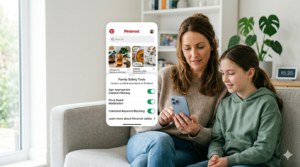
Pinterest looks calmer than many social platforms, but it is still a social network with privacy, messaging and content risks for teens. Pinterest says teen accounts under 16 are private by default, while teens 16 and over can choose a private or public profile; the platform also limits messaging and follower interaction for younger users.
That makes Pinterest safer than many open social apps, but not risk-free. Parents still need to think about who can contact their teen, what kind of content is being recommended, and whether account settings can be changed without supervision.
This guide explains the main safety settings, what parents should lock down first, and how to help teens use Pinterest in a healthier and more private way.
What is Pinterest?
Pinterest is a visual discovery platform where people save and share images, short videos and idea boards called pins. The platform is often used for fashion, school projects, recipes, room decor, art inspiration and fitness ideas.
Because the app is so visually driven, it can feel lower pressure than other social media. But it still includes follows, messages, search, recommendations and content visibility, which means teens still need privacy guidance.
Why Pinterest safety matters for teens
Teens often use Pinterest for inspiration, but the same visual feed that makes it useful can also push unrealistic body ideals, triggering content or obsessive comparison if settings are left unchecked.
Pinterest has added teen-focused protection because younger users can still be exposed to unwanted contact or unsafe collaboration if account settings are too open.
Parents should treat Pinterest like any other social platform: useful, but only safe when it is configured properly and discussed at home.
What Pinterest does for teens
Pinterest says teen accounts under 16 are private and undiscoverable by default, and younger users have tighter controls around following and messaging. In practice, that means younger teens cannot just be found and contacted as easily as adult users.
Pinterest also says teens under 16 can only send and receive messages from mutual followers accepted through a time-limited unique profile link, which helps limit unsolicited contact.
That is a significant safety improvement, but it does not remove the need for parental oversight, because teens can still create boards, consume algorithmic recommendations and interact with content in ways that affect wellbeing.
What parents can control
Guidance from Vodafone and other parent-focused sources says parents can set a passcode on a teen’s Pinterest account so certain privacy and security settings cannot be weakened without permission. These protected settings can include who can mention the user, profile visibility in search engines, ad and AI data use and harmful-content controls.
That passcode layer is especially useful because many teenagers are perfectly capable of changing settings back to a less secure option if they are curious or annoyed by restrictions.
For families, the passcode is less about spying and more about preventing the child from undoing sensible guardrails in a few taps.
The most important safety settings
Private profile
For teens under 16, Pinterest says private is the default and only option, while users 16 and over can choose private or public. A private profile is a strong first line of defence because it reduces discoverability.
Messaging controls
Pinterest’s teen rules reduce messaging exposure by limiting direct messages and requiring mutual follow relationships or approved links for younger accounts.
Comment and mention controls
Parent guidance notes that parents can choose who can mention a user and can hide comments containing specific words, which helps reduce unwanted interaction.
Search visibility
Parents can also hide the profile from search engines, which reduces how easily a teen’s account can be found outside Pinterest.
Data and ad settings
Guidance for parents says they can prevent personal data from being used for personalised advertising or AI training, which is increasingly important for privacy-conscious families.
Content risks on Pinterest
Pinterest is often used for harmless inspiration, but its recommendation system can also keep feeding a teen more of the same material once they show interest in a topic. That can be a problem with body image content, extreme dieting, self-harm-adjacent themes, relationship drama or highly repetitive aesthetic pressure.
Parents should check not just who can contact the teen, but what the teen is being shown over time. A “nice” platform can still become unhealthy if the feed is shaping mood, self-image or habits in a bad direction.
What parents should set up first
- Confirm the teen’s age and account type: Teens under 16 should remain private by default.
- Set the parental passcode: Lock important privacy and security settings.
- Review who can message or mention them: Keep social contact limited and intentional.
- Hide the profile from search engines: Reduce discoverability.
- Check notification settings: Reduce distraction and pressure.
- Review content preferences: Make sure the feed supports healthy interests.
- Talk about reporting and blocking: Teens should know how to respond if someone is creepy or hostile.
Good family rules for Pinterest
- No public profile unless the teen is old enough and the parent agrees.
- No accepting followers or link requests from people they do not know.
- No private messaging with strangers.
- No posting personal photos that show school logos, locations or daily routines.
- No treating the feed as advice without checking it against trusted sources.
- Tell a parent if a feed starts making them feel worse rather than inspired.
Pinterest safety for teens: the simple verdict
Pinterest is one of the safer major social platforms for teens because it defaults younger users into private accounts and limits messaging more heavily than many rivals.
But “safer” is not the same as “safe by default.” Parents still need to use the parental passcode, review privacy and data settings, manage content preferences and talk to teens about what they are seeing.
If you remember one thing, make it this: Pinterest works best for teens when it stays private, limited and intentionally curated.
Quick FAQ for parents
Is Pinterest private for teens?
Yes. Pinterest says teens under 16 are private by default and cannot switch to public, while users 16 and over can choose.
Can parents lock Pinterest settings?
Yes. Parent guidance says a passcode can be used to protect certain privacy and security settings.
Can teens message strangers on Pinterest?
Messaging is restricted for younger users, and teens under 16 can only send and receive messages from mutual followers through approved link-based interactions.
Can Pinterest hide a teen’s profile from Google?
Yes. Parent guidance says profiles can be hidden from search engines.
What is the biggest risk on Pinterest?
For many teens, the biggest risk is not direct contact but the cumulative effect of the feed, recommendations and comparison-heavy content.
Read our article on the governments proposal to ban under 16s from social media here.